
Digishift included three different layouts for the blog. The Grid View blog, List View, and the Masonry blog. On this page, we will see how to set them.
Regular Blog #
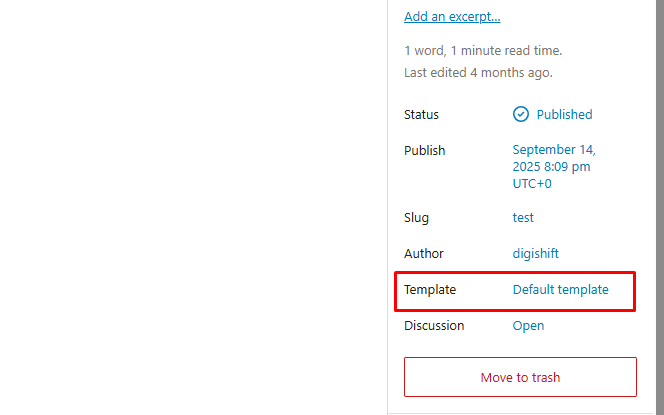
Creating and setting up the blog is the same process as creating a new page. In your left sidebar, navigate to Posts → Add New to add a new post, and from the Template box located in the right sidebar, select Template: Default Template and publish the post.
How to set the Blog Page #
Once you have created the homepage, navigate to Settings → Reading in your admin sidebar.
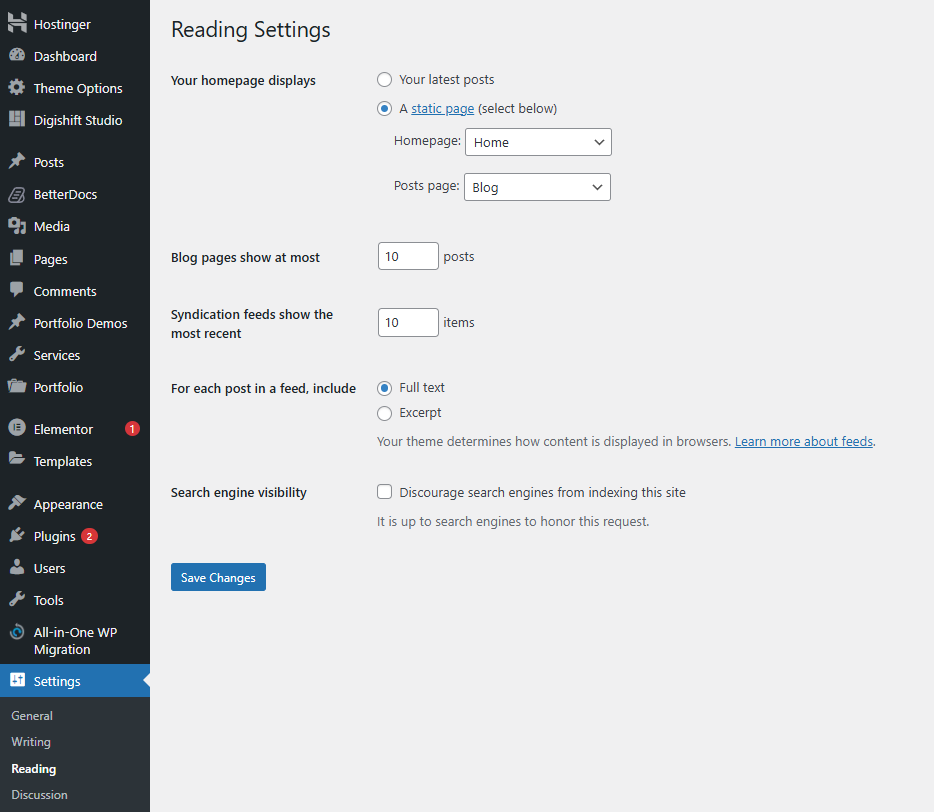
- Your homepage displays “Select A Static Page.”
- Homepage: Select your Homepage from the list of pages.
- Posts Page: Select a page that you want to use as a blog.
- Save Changes
Note: You can easily switch between Grid, List, or Masonry layouts and manage your sidebar settings by navigating to Theme Options > Blog > Blog Archive.
For more detailed information and visual guides, please visit our Full Blog Documentation


